From URL to Multi-Platform Presence in Seconds
The biggest hurdle for a Tech Lead isn’t writing the article—it’s the “Content Fatigue” that follows. You’ve spent hours perfecting a deep dive into Spec-Driven Development, and now you need a punchy LinkedIn post, an engaging Twitter thread, and a high-energy TikTok script.
In this tutorial, we are building a production-grade Content Repurposer that does the heavy lifting for you. By leveraging Laravel 13, the official Laravel AI SDK, and local LLMs via Ollama, we’ll create a workflow where you “write once and distribute everywhere.”
The Workflow at a Glance
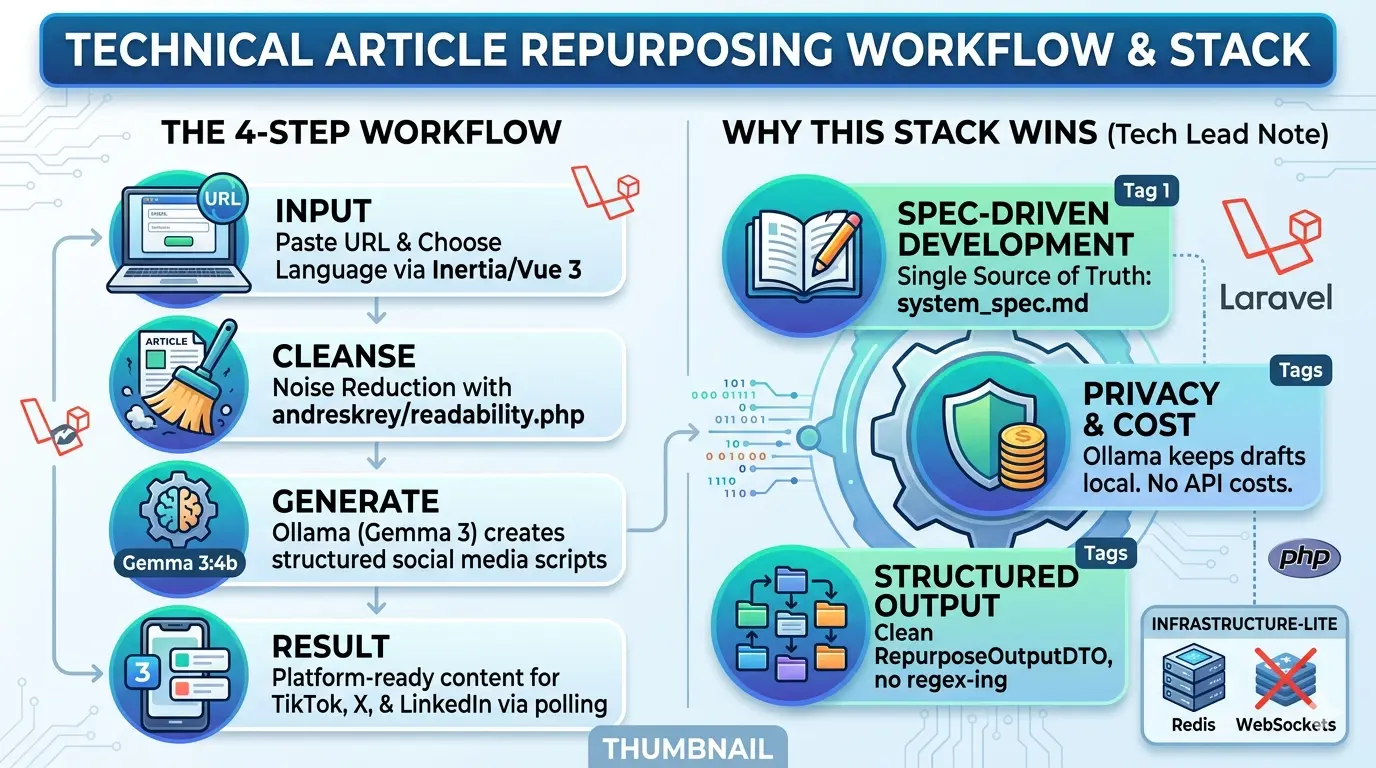
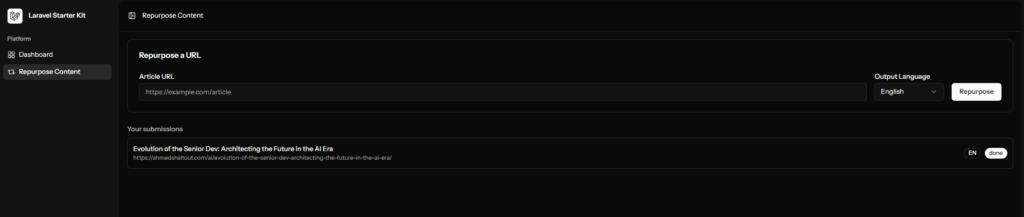
Step 1 (The Input): User drops a technical article URL and selects a target language (English or Arabic) via a clean Inertia.js + Vue 3 dashboard.
Step 2 (Noise Reduction): The app fetches the URL and uses andreskrey/readability.php to strip away ads, navbars, and scripts, leaving only the pure semantic content.
Step 3 (Local AI Orchestration): A background job sends the cleaned text to the Laravel AI SDK. Using the Prism driver, it communicates with Ollama (Gemma4:e4b) to generate structured social media scripts.
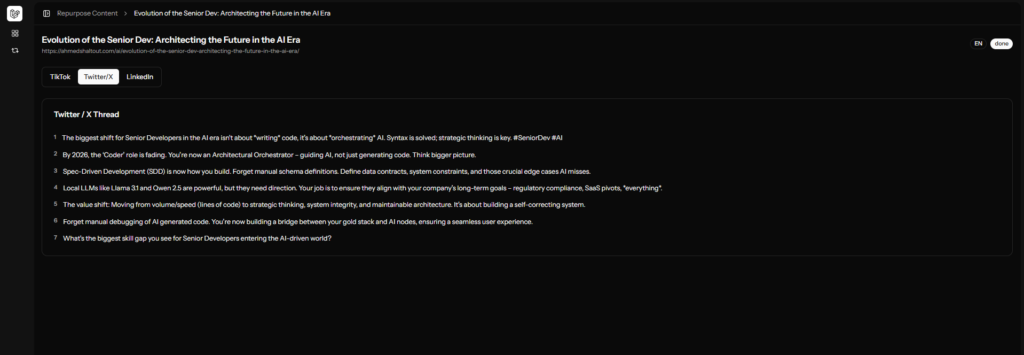
Step 4 (The Result): The dashboard polls for updates every 3 seconds, eventually revealing platform-ready content formatted for TikTok, X, and LinkedIn.
Why this Stack Wins
We aren’t just “calling an API.” We are building a SOLID, testable application that respects architectural boundaries:
- Spec-Driven Development (SDD): We start with a strict
system_spec.md(which you’ve already seen), ensuring the AI (and the developer) follows a single source of truth. - Privacy & Cost: By using Ollama, your drafts stay local during development. You aren’t burning OpenAI/Gemini credits while testing your prompts.
- Structured Output: We use the AI SDK’s
HasStructuredOutputcontract. This means no “regex-ing” through text blocks—the AI returns a cleanRepurposeOutputDTOevery time. - Thin Frontend: Using Inertia v3, we keep the logic on the server while maintaining a modern, reactive single-page experience.
Tech Lead Note: We’ve explicitly avoided WebSockets and Redis for Phase One. We’re using the Database Queue and Inertia Polling to keep the infrastructure footprint small and the deployment simple.
The LLM Engine: Ollama
Ollama is the local runtime that allows you to run models like Gemma 4 or Llama 3.1 without an API key or internet connection.
Installation
Download: Grab the installer for your OS from ollama.com.
Verify: Open your terminal and run ollama serve. It should start a local API server on http://localhost:11434.
Pull the Model: For this project, we’re using Google’s Gemma 3 (4b), which is optimized for reasoning and structured tasks.
ollama pull gemma4:e4bThe Laravel 13 Environment
Let’s install the laravel app, follow these commands to install laravel start kits.
laravel new social-maker
 Which starter kit would you like to install? [None]:
  [none    ] None
  [react   ] React
  [svelte  ] Svelte
  [vue     ] Vue
  [livewire] Livewire
 > vue
Which authentication provider do you prefer? [Laravel's built-in authentication]:
[laravel] Laravel's built-in authentication
[workos ] WorkOS (Requires WorkOS account)
[none ] No authentication scaffolding
> laravel Would you like to add teams support to your application? (yes/no) [no]:
> no Which testing framework do you prefer? [Pest]:
[0] Pest
[1] PHPUnit
> 0
 Do you want to install Laravel Boost to improve AI assisted coding? (yes/no) [yes]:
 > yes
Would you like to run npm install --ignore-scripts and npm run build? (yes/no) [yes]:
> yes Which Boost features would you like to configure? [guidelines,skills,mcp]
❯ AI Guidelines
Which AI agents would you like to configure?
❯ GitHub CopilotLets install these packages because we don’t want the AI to fail at installing them
composer require andreskrey/readability.phpcomposer require laravel/aiphp artisan vendor:publish --provider="Laravel\Ai\AiServiceProvider"php artisan migratecomposer run devLet’s test the app by visting http://localhost:8000/
and create new user to visit the dashboard http://localhost:8000/register
after create then new use you will be redirect to http://localhost:8000/dashboard
The Copilot “Architect” Prompt
Copy and paste this into VS Code / Copilot Chat. This prompt tells Copilot exactly how to write your docs\system_spec.md. make use you are in plan mod
Act as a Principal Laravel Architect. We are building an "Automated Content Repurposer" in Laravel 13.
I have installed: Inertia.js + Vue 3, Laravel AI SDK, Laravel Boost (for SEO/Speed), andreskrey/readability.php, and Pest for testing.
Constraints: NO Redis, NO WebSockets. Use standard sync/database queues.

Generate a `docs\system_spec.md` that adheres to SOLID and DRY principles.
The spec must include:
1. DATA FLOW: Input URL with selected output language(ar or en) -> Scrape (Readability) -> AI Agent -> Structured JSON -> Database -> Inertia View.
2. DATABASE: A 'contents' table and a 'repurpose_results' table with a polymorphic or 1:M relationship.
3. AI AGENT: Define a 'RepurposerAgent' using the Laravel AI SDK.
   - Persona: Senior Dev Advocate.
   - Output: JSON (tiktok_script, twitter_thread [array], linkedin_post).
4. SERVICE LAYER: Use a 'ContentService' to handle logic, keeping Controllers 'thin'.
5. TESTING: Define a test plan using Pest (feature tests for the API and Unit tests for the AI mock).
6.create instructions for github copilot for future requests

Focus on interface-based design so we can swap Ollama for Gemini later without changing business logic. for now use ollamawith gemma4:e4b
read the plan of the AI the change what ever you want and then Start implementation. I used claude sonnet 4.6 modal.
It should create the app for you and run the test as well but I have tested it myself and I found a few bugs and the AI fixed them all.